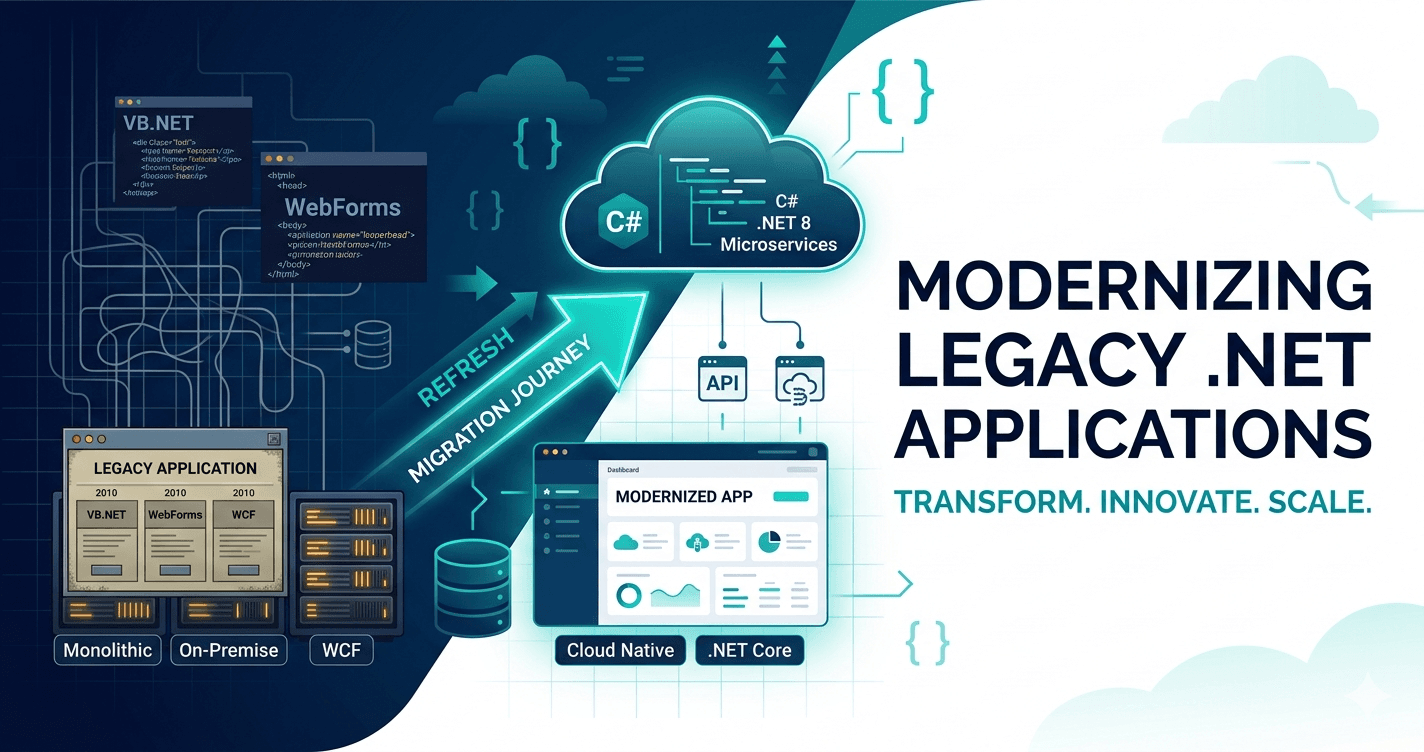
Legacy .NET applications built on .NET Framework 4.8 and earlier are no longer receiving feature updates — only security patches. Microsoft ended mainstream support for .NET Framework 4.8 in 2023, with extended support running until 2029. After that, you're on your own for vulnerabilities. But even before the deadline, the performance gap between .NET Framework and modern .NET is significant enough to justify moving now. Microsoft's own benchmarks show .NET 8 handling 2–4x more requests per second than .NET Framework on equivalent hardware for typical web workloads — that's either headroom or direct savings on compute costs.
The good news: modernizing doesn't require a complete rewrite. Here's how we approach .NET modernization at Skybin — preserving business logic while moving to a maintainable, secure, and performant architecture.
The Assessment Phase
Before writing any code, understand what you're working with. Create a comprehensive inventory:
- Version inventory — Which .NET Framework version is each app running?
- Dependencies — What NuGet packages, third-party libraries, and COM components are in use?
- Integration points — What databases, APIs, and external services does the system connect to?
- Business criticality — Which applications are most revenue-critical?
Tools like the .NET Portability Analyzer and the .NET Upgrade Assistant help automate this discovery. But manual review matters too — automated tools miss architectural decisions and business logic nuances.
Strategy Options
Not every legacy app needs the same treatment. Choose your path based on business value and technical constraints:
1. In-Place Upgrade
Best for: Applications with minimal dependencies, straightforward architecture
Move directly from .NET Framework to .NET 8. Microsoft's TFM (Target Framework Moniker) compatibility helps, but expect to fix breaking changes. This path works best for smaller applications with well-isolated dependencies.
2. Side-by-Side Deployment
Best for: Business-critical systems that can't afford downtime
Deploy the modernized version alongside the legacy version. Use a load balancer or reverse proxy to gradually shift traffic. This approach allows rollback if issues appear and enables iterative modernization.
3. Strangler Fig Pattern
Best for: Monolithic applications with distinct functional areas
Incrementally replace specific modules of the legacy system with new .NET Core/8 services. Start with a bounded context that's relatively isolated — perhaps authentication or reporting — and expand from there.
4. Replatform
Best for: Applications where the UI and business logic are tightly coupled
Move to .NET 8 while keeping the application structure mostly intact. Focus on updating dependencies, fixing security issues, and modernizing the code style without changing architecture.
The Modernization Playbook
Step 1: Dependency Audit
Legacy .NET applications often rely on packages that no longer exist or have no .NET Core/8 equivalent. Go through each dependency:
- Replace deprecated libraries with current alternatives
- Move from System.Web to ASP.NET Core's Kestrel server
- Update to modern authentication (OpenID Connect instead of classic Forms authentication)
WCF requires special handling. Windows Communication Foundation has no direct equivalent in .NET Core. If your application exposes or consumes WCF services, you have three options: migrate to CoreWCF (community-maintained, good compatibility), replace with gRPC for internal service-to-service calls, or wrap the legacy endpoint in a REST API if it's externally facing. Budget extra time here — WCF migrations are consistently the most complex part of .NET Framework upgrades.
Step 2: Architectural Alignment
ASP.NET Core differs from ASP.NET Framework in key ways:
- Dependency Injection is first-class — refactor from static service locators
- Middleware replaces HTTPModules and HTTPHandlers
- Configuration is unified across environments via appsettings.json and environment variables
- Hosting model — from IIS-only to cross-platform container deployment
Step 3: Database and Data Access
If you're using Entity Framework 6, you'll migrate to Entity Framework Core. Key differences:
- No lazy loading by default — use explicit loading or eager loading
- Different query syntax for some operations
- Seeding has changed significantly
For raw ADO.NET code, consider abstracting data access behind a repository pattern. This gives you flexibility to optimize later.
Step 4: Testing Strategy
Before making changes, establish test coverage. Most legacy .NET apps have little or no automated tests, so the first step is characterization testing — not unit tests.
Write characterization tests first. Run the existing application against a representative set of inputs and capture the outputs. These tests don't verify correctness; they verify that your changes don't change behavior. They're your safety net before you touch a line of production logic. The Approval Tests library makes this straightforward in .NET.
Once you have characterization coverage, layer in:
- Unit tests — Add for business logic as you refactor it
- Integration tests — Verify that controllers, services, and data access work together
- End-to-end tests — Critical for ensuring business workflows remain functional
Step 5: Incremental Deployment
Don't upgrade everything at once. Here's a phased approach:
- Weeks 1-2: Update dependencies, fix compilation errors
- Weeks 3-4: Refactor dependency injection, add logging and monitoring
- Weeks 5-6: Migrate authentication and authorization
- Weeks 7-8: Deploy to staging, run integration tests
- Weeks 9-10: Production deployment, monitor closely
Common Pitfalls
Underestimating Dependency Complexity
NuGet packages that worked seamlessly in .NET Framework may have no .NET Core equivalent. Budget time for finding alternatives — and sometimes for maintaining custom forks.
Skipping the Performance Baseline
Measure the legacy application's performance before changes. Establish baselines for:
- Response times under load
- Memory consumption
- Database query performance
Compare post-modernization metrics against these baselines to catch regressions early.
Ignoring Security Patches
Legacy apps often have known vulnerabilities. During modernization, prioritize:
- Updating authentication mechanisms
- Implementing modern cryptography (newer hashing algorithms, TLS 1.3)
- Adding proper input validation and output encoding
- Implementing role-based authorization
Neglecting Documentation
Modernization is an opportunity to document architecture decisions that were made implicitly in the legacy system. Update README files, add architecture decision records (ADRs), and create runbooks for operations.
What Comes After
Once you've modernized to .NET 8, you're positioned for options that weren't practical before:
- Cloud-native deployment — Containerize with Docker and orchestrate with Kubernetes. .NET 8's smaller footprint means faster cold starts and lower container image sizes than Framework ever allowed.
- Microservices — With proper dependency injection and a working test suite in place, breaking a monolith into bounded services becomes a matter of execution rather than guesswork.
- Improved developer experience — Hot reload, minimal APIs, and the latest C# language features make day-to-day development noticeably faster. Compile times on modern .NET are significantly shorter.
- Cross-platform hosting — Linux containers cost less than Windows Server on every cloud provider. .NET 8 runs identically on both, so you can optimize for cost without changing a line of code.
Conclusion
Modernizing legacy .NET systems is a significant undertaking, but it's achievable without a complete rewrite. The projects that fail are usually ones that tried to refactor everything at once — new framework, new architecture, new database access layer, all in a single big-bang release.
The key is incremental progress: assess your starting point, choose the right strategy, and execute in small, verifiable steps. Each step should leave you in a state you could ship if you had to. That discipline is what separates modernizations that finish from ones that get abandoned halfway.
The goal isn't just to move to a newer .NET version — it's to create an architecture that you can maintain, extend, and operate confidently for the next decade.
Need help planning your .NET modernization? We work with enterprises to assess, plan, and execute migrations with minimal business disruption. Talk to our .NET team about your project.